
Creating a webhook
In the merchant dashboard, open Développeurs (Developers), then Webhooks. Then click Ajouter (Add) to register a new webhook.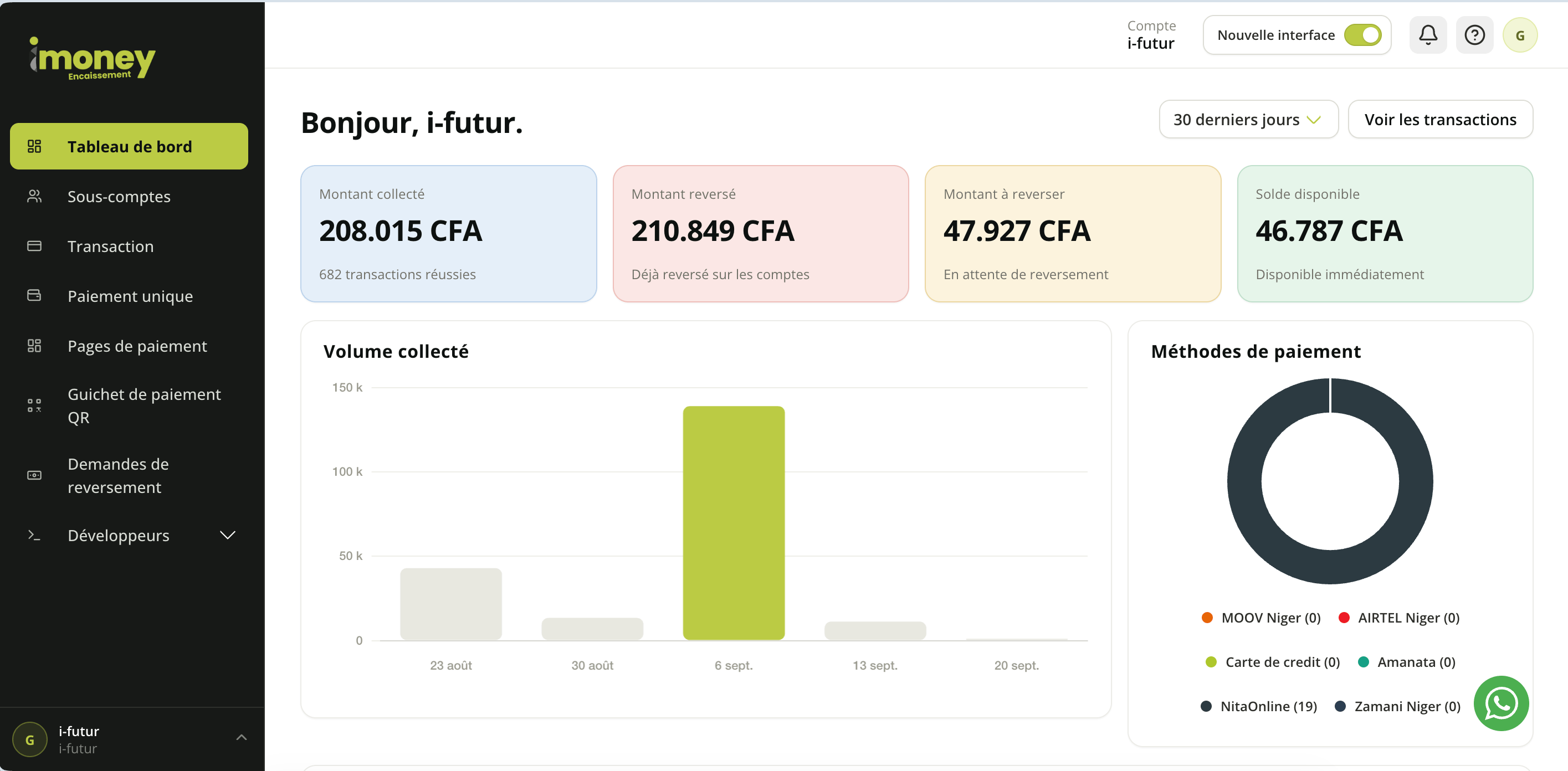
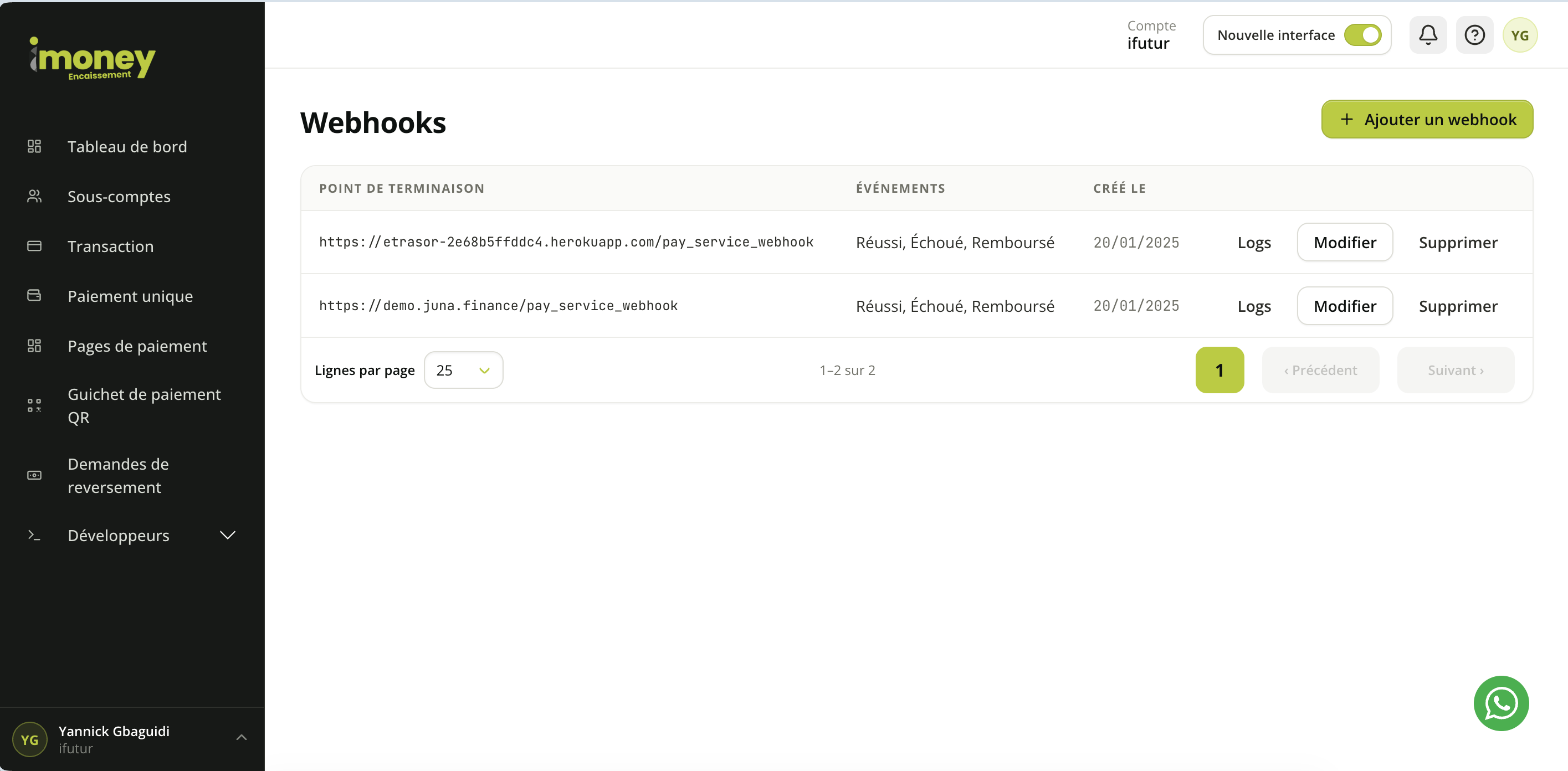
You can enable one or more events on the same webhook. Only the checked events are sent to the configured URL.
Important — whatSecret-Hashis: it is not a signature computed from the notification body (no HMAC, no hash of the payload). It is a static shared secret: you choose its value when creating the webhook, and iMoney Encaissement simply copies it unchanged into theSecret-Hashheader on every delivery. Your server only has to compare the received value with the one you configured — there is nothing to recompute.
Warning: never share your webhook’s secret hash. It is the only piece of information that lets your server check that a notification really comes from iMoney Encaissement rather than from a third party who guessed your URL.Once you have chosen the events to receive, click Enregistrer (Save).
Available events
There are five events, all related to the payment lifecycle:
There are no events other than these five: only enable the ones your integration actually needs.
Receiving a notification
When an enabled event occurs, iMoney Encaissement sends aPOST request to your URL with a JSON body and the following headers:
- check that
Secret-Hashmatches the value configured in the dashboard; - process the JSON body;
- return an HTTP
2xxresponse to acknowledge receipt.
2xx responses and network errors (timeout, unreachable endpoint) are recorded in the webhook history.
Payload format
All notifications use the same base structure:Payload fields
Depending on where the payment comes from, iMoney Encaissement may also add the following fields — they are not present on every notification:
On a failed payment,
failure_reason holds the reason for the refusal when it is provided, and validated_at stays null; the
possible status values and the full contract of a payment’s fields (types, constraints)
are described in Retrieve a transaction.
Retry behavior
iMoney Encaissement sends the notification once as soon as the event occurs, then schedules a catch-up delivery ten minutes later. This catch-up delivery is only sent if no delivery attempt has been recorded for this event. However, an attempt is recorded in both cases: when your server responded, and when the delivery failed (unreachable endpoint, non-2xx response, timeout). What this means:
- a failed delivery is not replayed: the ten-minute catch-up only covers the case where no delivery took place, not the case of a delivery that went wrong;
- there are no unlimited retries and no configurable number of attempts;
- once an attempt has failed, your application will not receive any more notifications for this event and must fall back on Retrieve a transaction to get the final status.
pending longer than expected. The status lookup, not the notification, is the source of truth.
Viewing the history
The Webhooks page shows the configured webhooks with their URL, enabled events, creation date and available actions. For each webhook, the Logs button shows the history of delivery attempts, including the catch-up delivery where applicable. The history shows:- the payment reference;
- the event sent;
- the HTTP status returned by your server;
- the body of the request sent;
- the response returned by your server;
- the delivery date.
Best practices
- Use a stable public HTTPS URL.
- Always check the
Secret-Hashheader before processing the notification — it is a direct comparison with the value you configured, not a cryptographic computation. - Return an HTTP
2xxresponse quickly after receipt, before starting any long processing. - Make your processing idempotent by using the iMoney Encaissement
reference: do not process the same event twice if a notification reaches you more than once. - Do not rely on the exact order of notifications: always check the
statusreceived rather than assuming a sequence. - Do not wait indefinitely for a webhook that never arrives: reconcile pending payments with Retrieve a transaction.